Capability · Tools
Any MCP tool. Default-deny from day one.
Connect any MCP-compatible tool — and every one of them onboards default-deny, with credentials from the write-only vault.
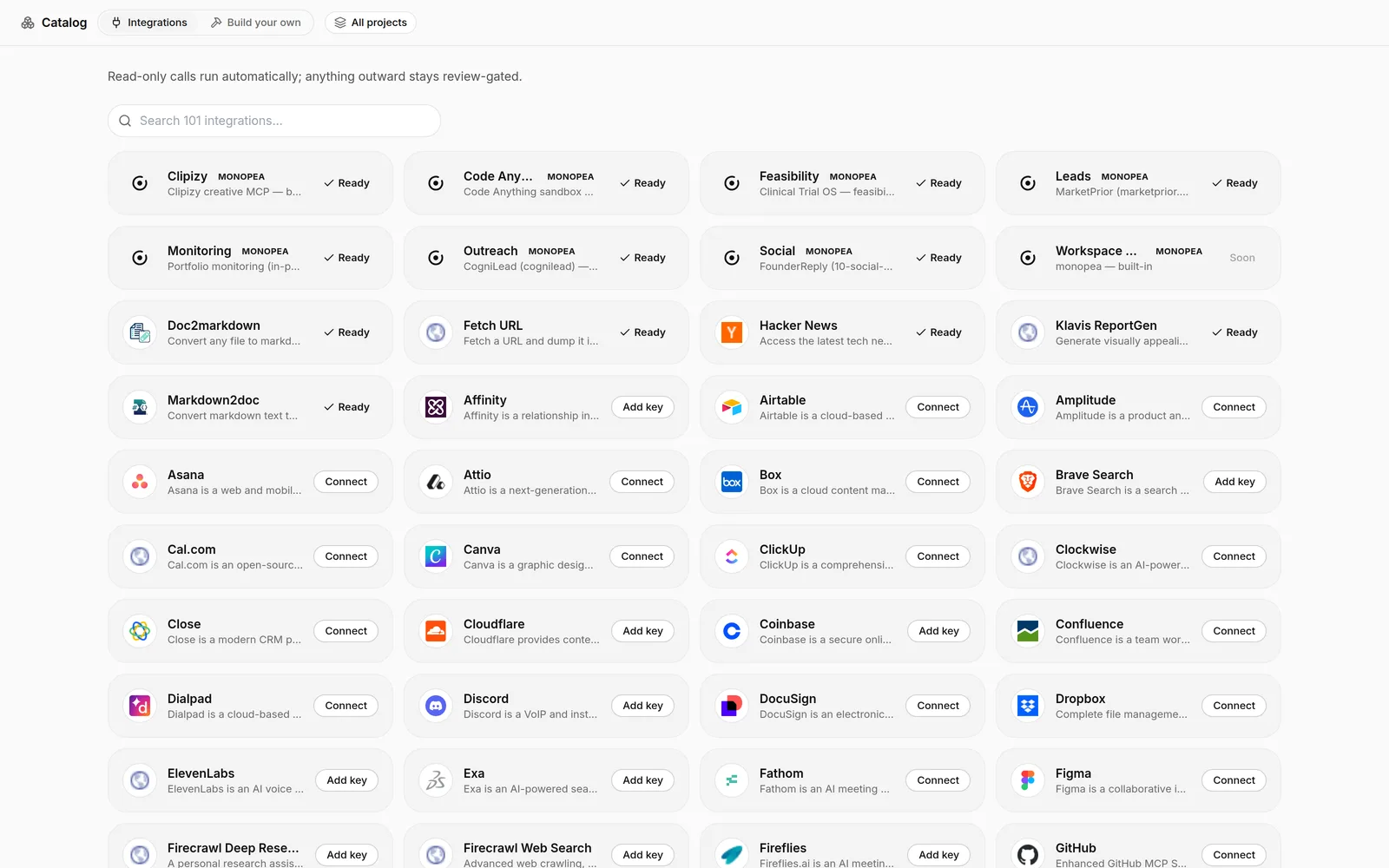
monopea operates your actual stack through the Model Context Protocol: CRM, inbox, calendar, code, data — anything that speaks MCP plugs in and becomes an ability the agent can compose into its plans.
Openness is exactly why the gate exists. A new tool arrives with no standing trust: its mutation-capable calls route to review from the first invocation, and calls the platform cannot classify fail closed. You extend the agent’s reach first and widen its autonomy second — deliberately, by raising a threshold rather than by connecting a tool.
01 / MECHANISM
What connecting a tool actually grants
Connecting an MCP tool registers its capabilities with your agent — it does not grant permission to use them freely. Reads can flow, but mutation-capable calls from a newly connected tool are held at the approval gate by default, so a fresh integration cannot take an outward action you have not seen.
From there, trust works the same way as everywhere else on the platform: each tool carries a risk level, and only calls at or below your threshold run unattended. The catalog can keep growing without your risk surface growing with it.
- New tools start at default-deny — connecting is not authorising
- Autonomy is granted explicitly, per tool and per operation
- Grants are auditable and revocable at any time
02 / MECHANISM
One agent composing every tool
Because every integration feeds a single agent rather than a pile of separate automations, abilities combine: pull context from your documents, update the CRM, draft the email, schedule the follow-up — one plan across four tools, with each outward step passing through the same gate.
That is the practical difference between a tool catalog and a stack of integrations: composition. The agent treats tools as verbs it can sequence, and the governance layer treats them all identically.
03 / MECHANISM
Credentials come from the vault, not the prompt
Tools authenticate with secrets the model cannot read. A connection’s API key lives in the write-only vault and appears in tool calls as {{secret:NAME}} — substituted only at dispatch, scrubbed from results. Connecting a powerful tool never means pasting a powerful credential into a prompt.
Scoping completes the picture: each connection carries exactly the access you granted, and revoking a connection or deleting its secret shuts it off cleanly.
04 / MECHANISM
Bring your own tools
MCP is an open standard, so the catalog is not a fixed list. Internal tools you build, niche services, self-hosted systems — if it speaks MCP, it plugs into the same plans, memory, and gate as everything else, with no special-case integration work.
Homegrown tools get no homegrown trust, either: your own MCP server onboards default-deny exactly like a third-party one — which is precisely what you want when an agent is calling code you wrote on a Friday afternoon.
Why it matters
What it changes in practice.
01
Reach without exposure
Every new tool starts gated. Connecting is safe; autonomy is a separate, explicit grant.
02
Your real stack
The agent works in the tools you already use — anything MCP-compatible plugs in.
03
Secrets stay in the vault
Tool credentials are referenced as {{secret:NAME}} and never shown to the model.
FAQ
MCP tool catalog, in short.
Which tools can Monopea connect to?
Does connecting a tool let the agent use it immediately?
What about calls the platform cannot classify?
How are tool credentials handled?
Keep exploring
Approval gate
Default-deny control: mutation-capable tool calls become pending proposals and wait for your decision before anything is dispatched.
ReadSecrets vault
A write-only vault: the agent references {{secret:NAME}}, the plaintext is substituted only at dispatch, and the model never sees the value.
ReadSkills & routines
Learned, reusable procedures that make repeat work dependable — and never outrun the approval gate.
ReadStart with everything gated. Open it up as you go.
Open a workspace, give the agent a task, and approve what it proposes. Stored in Switzerland, processed in the EU.