Monopea Teams
People and agents, side by side.
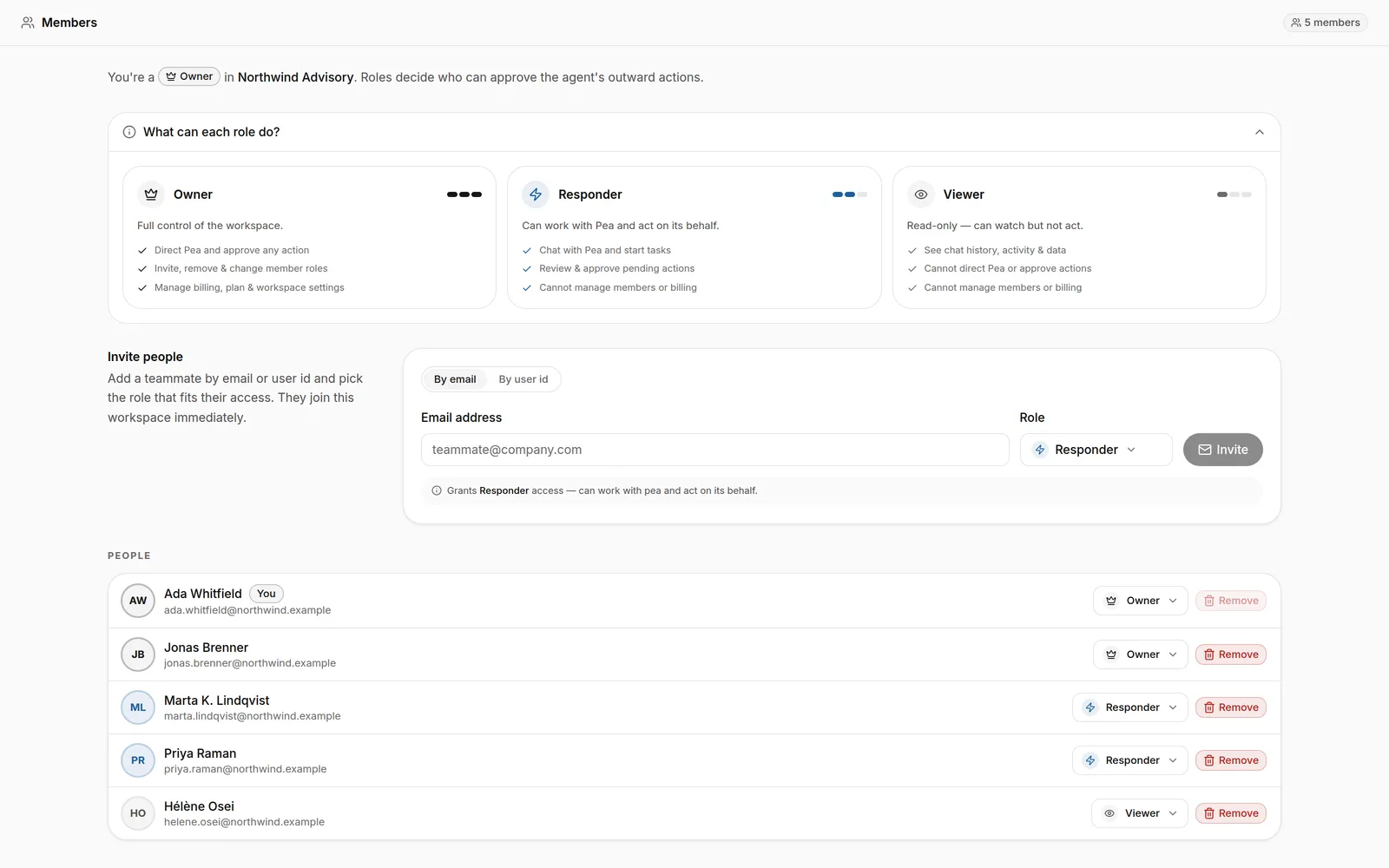
Members, roles and per-project scope, and agent personas with their own brief — the agent can run the workspace admin it is authorised for, and changes to who sees what are proposals.
—
No proprietary file format
9
Agent tools behind this app
1
Approval gate for every outward action
CH · EU
Stored in Switzerland. Processed in the EU.
What you ask → what actually happens
Teams, in the words people type.
Mechanism, not adjectives: each line is what the agent does when you say it.
“Add Marie as an editor on the Q4 project.”
Invites her, with the role and the project scope you named — as a proposal, because it changes who can see your work.
“Give the research agent its own instructions.”
Creates a persona with its own brief and its own visibility, beside the people.
“Who has access to what?”
Reads back members, roles and per-project scope in one answer.
Capabilities
What Teams does.
01
Roles and project scope
02
Personas
03
Admin by request
04
Seats
Tools the agent calls
Real functions, not a chat reply.
Verbatim names from the runtime catalog. Every call is logged; anything outward is a proposal first.
- manage__get_workspace_overview
- manage__create_workspace
- manage__invite_member
- manage__set_member_role
- manage__create_persona
- manage__set_persona_visibility
Governed
It works on its own. It asks at the door.
Inside the workspace the agent just works. Anything above the one risk threshold you set — and anything that leaves — becomes a proposal with its exact arguments, and waits for you.
Works with
The rest of the suite, one agent.
Agent flows
A canvas for per-project agent teams: who runs, who supervises, and what each one may read. Every sub-agent inherits the same gate, and a stop cascades to everything it delegated.
Explore Agent flowsChannels
Threads, tasks and a living canvas per channel — edited by people and the agent side by side, in the same workspace as the files the work is about.
Explore ChannelsCatalog
Connect any MCP-compatible server, or build a tool library from API documentation. New tools start needing approval, and credentials are referenced as {{secret:NAME}} — never shown to the model.
Explore CatalogFAQ
Teams, answered.
Can the agent add people to my workspace?
What is a persona?
Does the agent need my approval for everything?
Hand Teams its first job.
Open a workspace, give the agent a task, and approve what it proposes. Stored in Switzerland, processed in the EU.