Monopea Presentations
A deck built slide by slide, not poured into a template.
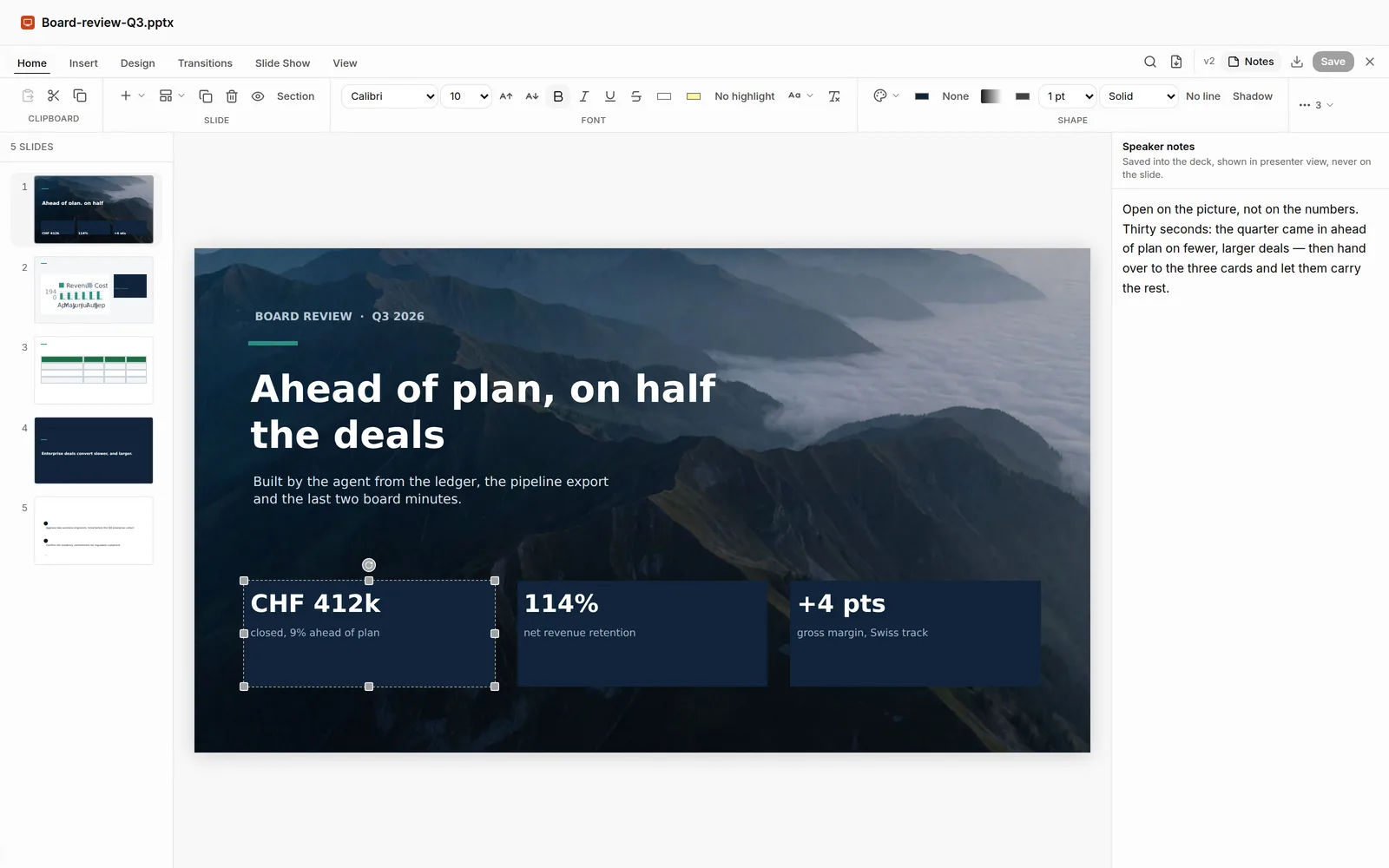
Real .pptx — layouts, charts and a running argument composed from your brief or your document, with the speaker notes written where a presenter expects them.
.pptx
Real file format, in and out
36
Agent tools behind this app
1
Approval gate for every outward action
CH · EU
Stored in Switzerland. Processed in the EU.
What you ask → what actually happens
Presentations, in the words people type.
Mechanism, not adjectives: each line is what the agent does when you say it.
“Turn the board update into ten slides.”
Composes the deck from the document — layouts, sections and a running argument, as a real .pptx.
“Put the revenue chart on slide four.”
A native chart on the slide, sized to the layout it lands in.
“Write the speaker notes.”
Notes written alongside the slides, in the notes pane where a presenter expects them.
“These boxes are all over the place.”
Aligns and distributes the shapes — the fiddly half-hour nobody wants.
“Put the ask first.”
Reorders the deck and keeps every slide’s notes and transitions with it.
Capabilities
What Presentations does.
01
From a document to a deck
02
Native charts and tables
03
Speaker notes
04
The fiddly half-hour
05
Present or export
06
Behind the one gate
Tools the agent calls
Real functions, not a chat reply.
Verbatim names from the runtime catalog. Every call is logged; anything outward is a proposal first.
- deck__add_slide
- deck__set_layout
- deck__add_chart
- deck__add_table
- deck__align_shapes
- deck__distribute_shapes
- deck__set_notes
- deck__set_transition
- deck__reorder_slides
- deck__export
Governed
It works on its own. It asks at the door.
Inside the workspace the agent just works. Anything above the one risk threshold you set — and anything that leaves — becomes a proposal with its exact arguments, and waits for you.
Works with
The rest of the suite, one agent.
Documents
Real .docx files — drafted, marked up and revised by the agent through the same operations you would use by hand, then exported as the Word file your lawyer opens.
Explore DocumentsSpreadsheets
Real .xlsx — formulas, charts, pivots and validation written cell by cell, so the sheet does the arithmetic and you can change an input and watch it recalculate.
Explore SpreadsheetsMerge, rotate, reorder, extract, fill, flatten and stamp — the twenty minutes a scanner costs you, done by the agent on the real file.
Explore PDFFAQ
Presentations, answered.
Is it a real PowerPoint file?
Does it write speaker notes?
Can I present without exporting?
Does the agent need my approval for everything?
Hand Presentations its first job.
Open a workspace, give the agent a task, and approve what it proposes. Stored in Switzerland, processed in the EU.